“Customers” Tab
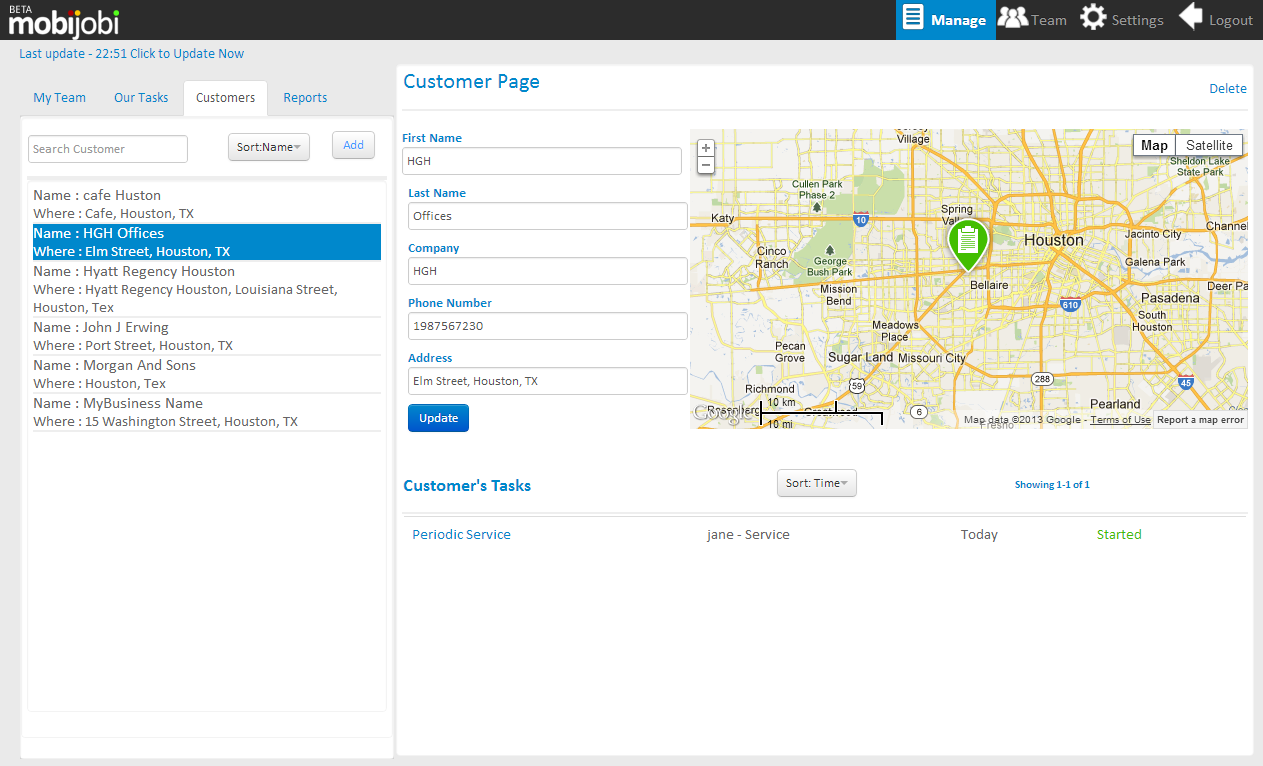
your mobijobi account mobijobi provides you with a simple customer management tool that allows you to create, edit and manage your customers and their details
The tab content consists of a list of your customers, and the details of the currently selected customer.
The customer details section of the page consists of the following elements:
- An editable customer details form
- A map presenting its location.
- A list historic, current and future tasks created and performed for this customer
You can add new customers by clicking the “add” button; this action will open a new customer pop-up form that includes the following fields (mandatory):

- First and last name fields
- Company name (you can use a space if not applicable)
- Customers phone number
- Customer’s address field
 mobijobi.com - Field Service Management
0 Comments