let’s setup some basic parameters that will help you manage your varoius tasks
Team basic settings

Mobijobi allows you to set-up basic business parameters such as the time/date format, distance units and customize your task types.
You can add and use customized task types in order to differentiate between different types of tasks you usually perform.
By default mobijobi uses a default task type named “mobijobi default task” with a duration of one hour. As long as it is the only task type in your list, the “settings” tab will include an attention icon:

Adding a new task type is very simple, using the “Add More task Types” Section of the page type a task type name, set its duration (in 0.5 hour increments) and add comments if needed (these comments will later on appear in every task using this task type)
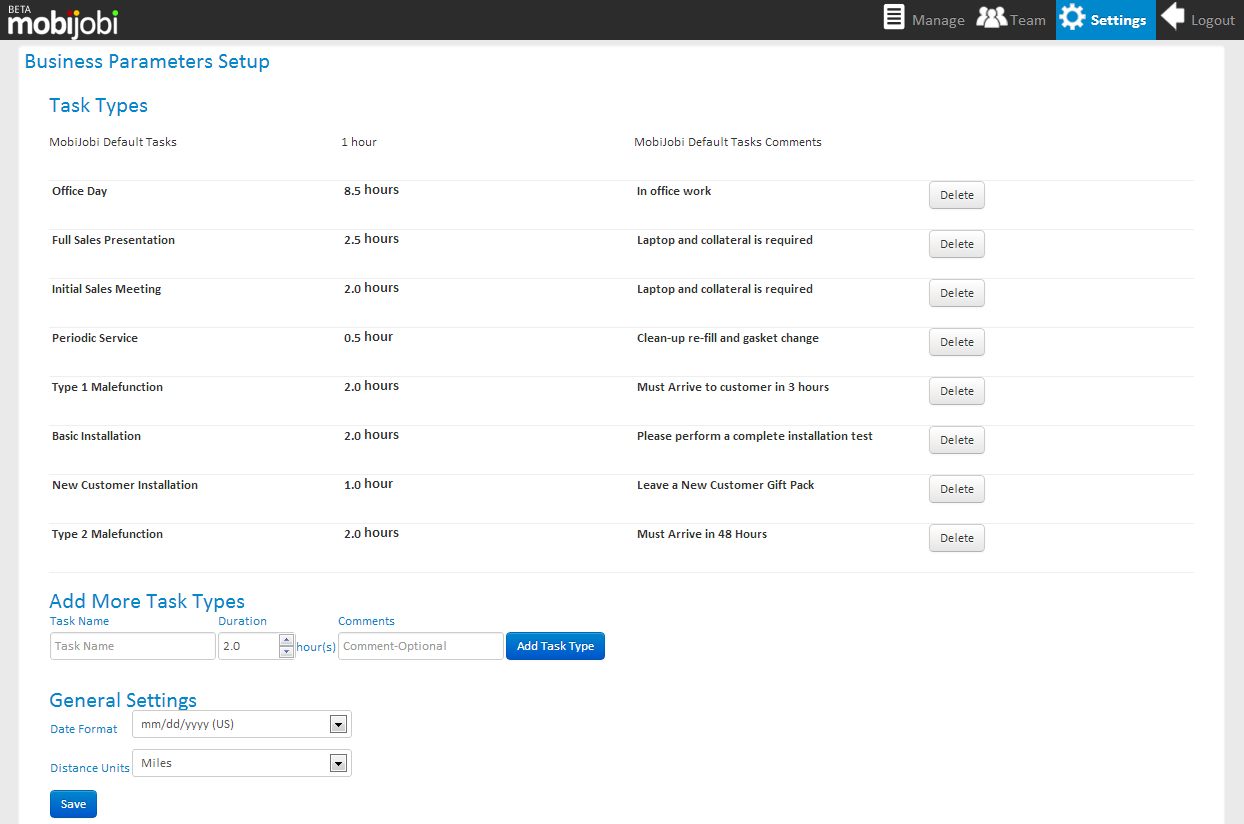
After created you can edit any task type by clicking its row on the top of the page:

 mobijobi.com - Field Service Management
0 Comments